
Happy Wheels Changelog
Totaljerkface browser patches, the Flash-to-HTML5 cutover, and why Steam is not in this log yet.
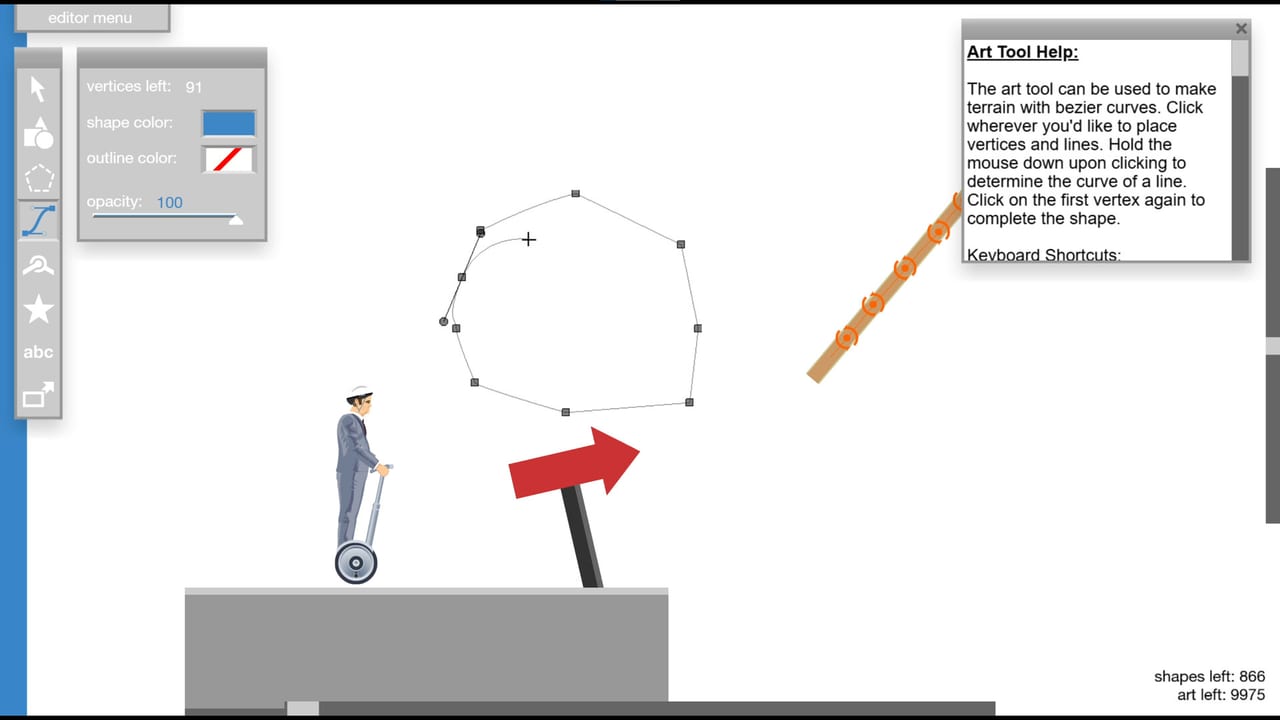
This changelog is a player-facing digest of the Totaljerkface HTML5 client. Jim Bonacci publishes the canonical notes on the game site; the entries below cover the v1.98.x line that landed between 15 June 2026 and 6 September 2026, plus the 28 December 2020 JavaScript port that replaced Flash. The Steam edition is still upcoming (21 September 2026) and does not have a public Steam build number, so it does not get a version heading here. For store facts use Steam launch. For editor workflow after these patches use the level editor guide. For key binds after a remap, see controls. Hardware and option-menu tools live on the tools hub.
Happy Wheels remains single-player. Patches in this log tweak physics, the editor, audio sliders, and crash cases. They do not add a second human player.
How to read version numbers
Browser versions look like v1.98.4. The major line (1.98) is the native text-input rewrite. Dot releases after that are crash, physics, editor, and quality-of-life fixes. Dates below are Totaljerkface release-log dates, not Steam store updates. If a YouTube thumbnail stamps a different day, trust the site log.
You do not install these patches. Reload the HTML5 game on Totaljerkface (a hard refresh if a CDN caches an old JS bundle). Steam users will only care about this list if the shipped desktop client wraps the same JavaScript — a community report, not an official architecture note.
v1.98.4 — 6 September 2026
The newest browser note in this digest:
- Circles with inner cutouts. Authors can punch a hole in a circle instead of faking a ring with stacked shapes. Expect new trap designs that thread a wheelchair through a doughnut, and expect old “fake ring” maps to look crude next to the real primitive.
- Trigger actions display. The editor shows what a trigger actually does instead of making you open the action list from memory. This is an authoring fix more than a runner fix, but it should cut maps that fire the wrong kill plane because the creator clicked the neighbouring action.
- Banned words list. Text that hits the list is blocked. Use it as a reminder that usernames, level titles, and comments still go through Totaljerkface moderation even in a physics toy.
If a featured level suddenly shows a ring you can fall through, the author probably rebuilt it after this patch. Replay it before you blame controls.
v1.98.3 — 29 August 2026
A dense quality-of-life drop that runners and authors both feel:
- Separate sound and music sliders. You can drop the soundtrack without muting eject screams, or the reverse. Set this in the options menu the next time a user level loops a ten-second MIDI. The tools hub checklist starts here.
- High-refresh efficiency. High-Hz monitors waste less work. This is not a promise that physics run at 240 Hz; it is a note that the client is less wasteful on those displays.
- Happy Green Hills clouds. The long-running featured-style landscape got cloud drawing fixes. Cosmetic, but it is the map many first-timers still open.
- 60 FPS camera and physics fixes. Camera follow and simulation at 60 FPS received targeted fixes. If a replay from May 2026 desyncs visually, this is a suspect.
- Editor culling, trash can, and save menu. Off-screen editor work culls more sanely, deleted items have a trash can, and the save menu was touched. Large maps should hitch less while you sculpt.
- Memory leaks. Long editor sessions and long Level Browser crawls leak less. If your tab used to die after an hour of testing, relaunch on 1.98.3 or newer before you buy RAM.
v1.98.2 — 27 June 2026
This patch is almost entirely for people who live in the level editor:
- Selection, undo, redo, and pan were improved. Marquee-selecting a cluster of joints should miss fewer pieces. Undo/redo is the difference between a playable map and a ruined afternoon.
- Large-level optimization. Oversized community maps — the ones that used to crawl when you panned across a thousand spikes — received performance work.
Runners only notice 1.98.2 when a huge featured level stops stuttering mid-gap. Authors should feel it every session.
v1.98.1 — 16 June 2026
A stability and physics follow-up one day after 1.98:
- Crash without WebGL2. The client no longer dies the same way on machines that do not expose WebGL2. This matters on older GPUs and on some Linux stacks. It is also why tools tells you to check WebGL before you assume the game is “broken”.
- Physics on differing textures. Surfaces with different textures were not always simulating the same. Traction, bounce, and grind paths could disagree with the art. That mismatch got a fix; a map that felt icy on brick in May might feel like brick now.
- Wrecking ball rope. Rope attached to wrecking balls received physics correction. User levels that use a swinging ball as a timing puzzle should pendulum more honestly. If you memorised a pre-1.98.1 swing, re-learn it.
v1.98 — 15 June 2026
- Native text input rendering. Typing in the editor, in comments, and in name fields uses native text rendering instead of the older workaround. This is the reason the 1.98 line exists. If a level title used to clip or ignore IME-unrelated keyboard input, this is the fix to test first.
Flash to HTML5 — 28 December 2020
Happy Wheels was a Flash game. Adobe Flash ended, and on 28 December 2020 the full Totaljerkface product moved to a JavaScript / HTML5 port. That cutover is why you play in a browser in 2026 without a plugin. It is also why WebGL (and WebGL2 crash paths in 1.98.1) show up in patch notes at all.
Historically the full game — editor, account, Level Browser — lived on Totaljerkface. Other sites hosted demos. A demo is not the 5+ million level catalogue. When someone says they “always played Happy Wheels on a random flash portal”, they usually mean a cut-down client.
Mobile is a separate timeline: iOS on 20 August 2015 (Metacritic 73/100) and Android on 25 January 2020. IGN has listed Happy Wheels among Best Free Games in historical features. Those ports are not this changelog’s version numbers and they are not the Steam SKU.
Touch, copy-URL, and logged-out XML (2022–2024)
The v1.98.x line above is the current browser. Three older HTML5 notes still change how you browse and build:
- v1.96 (17 February 2024) added proper touch controls, fixed character selection plus the featured-levels menu and the level/replay browser on touch, and added an option to force enable or disable those controls. Memory use dropped. Replay-browser author names and list-page stutters were fixed. If you play the HTML5 client on a tablet, this is the patch that made on-screen input a first-class path instead of broken mouse emulation.
- v1.95.1 (18 August 2023) added a copy URL button to the level and replay browser. That is the share control you want when a friend asks for a map. The parent v1.95 drop on 11 August 2023 was FPS and load-time work; 1.95.1 is the copy-link note. Combined with v1.89 (9 July 2022), the browser address bar already updates to the current level or replay, so a copied URL and the live URL should agree.
- v1.92 (2 October 2022) let the editor import and export level XML while you are logged out. Sliding joints gained keyboard rotation. Old trigger-heavy maps became more compatible. You still need an account to publish to the public catalogue, but you can move XML on and off the machine as a guest. Pair this with the level editor if you keep drafts as text.
These three notes are why the community Level Browser can share IDs, why a phone browser can at least attempt touch, and why an XML paste works before you log in. They are not Steam version numbers. Steam is still upcoming.
Steam is not a row in this table yet
Fancy Force scheduled Steam for 21 September 2026. Until a Steam build number is public, this page will not invent v1.99-steam or pretend a Chromium wrapper has its own patch cadence. The honest status is: browser log above, Steam still upcoming. When a desktop build ships, new rows belong here only if Fancy Force or Totaljerkface publish notes. Until then, store checkboxes belong on Steam launch.
If you are an author, install the habit of writing the browser version into a level description after a physics-sensitive patch (wrecking-ball rope, textured surfaces, cutout circles). Runners using Steam later will need that sentence more than another joke title.
For binds that changed only because you opened the customise-controls screen, use controls. For sliders, WebGL checks, and pad notes, stay on the tools hub. For the Steam date itself, leave this log and open Steam launch.
The next time someone asks “did they patch Happy Wheels?”, answer with a version and a date from this page, not with a Steam wishlist screenshot.
Frequently Asked Questions
Quick answers to the most common Happy Wheels questions.
What is the latest Happy Wheels browser version?
v1.98.4, logged 6 September 2026: circles with inner cutouts, trigger actions display, and a banned words list. Reload Totaljerkface to pick it up; there is no separate installer.
When did Happy Wheels leave Flash?
The JavaScript / HTML5 port went live on Totaljerkface on 28 December 2020. That is the client this changelog describes. Demos on other sites are not the full editor and Level Browser.
Is there a Steam changelog yet?
No. Steam is scheduled for 21 September 2026 and still has no public build number. Use the Steam launch page for store facts until Fancy Force publishes desktop notes.
Which patch added separate music and sound sliders?
v1.98.3 on 29 August 2026. Open the options menu, split the two sliders, and keep music low on user levels that loop a short track. See the tools hub checklist.
Why did a wrecking-ball level feel different after June 2026?
v1.98.1 (16 June 2026) corrected wrecking-ball rope physics and texture-based physics. Re-learn the swing instead of blaming controls.
When did Happy Wheels add copy-URL, touch controls, and logged-out XML?
v1.95.1 on 18 August 2023 added copy URL on the level and replay browser (v1.95 itself landed 11 August 2023). v1.96 on 17 February 2024 added proper touch controls and a force enable/disable option. v1.92 on 2 October 2022 allowed editor XML import and export while logged out.